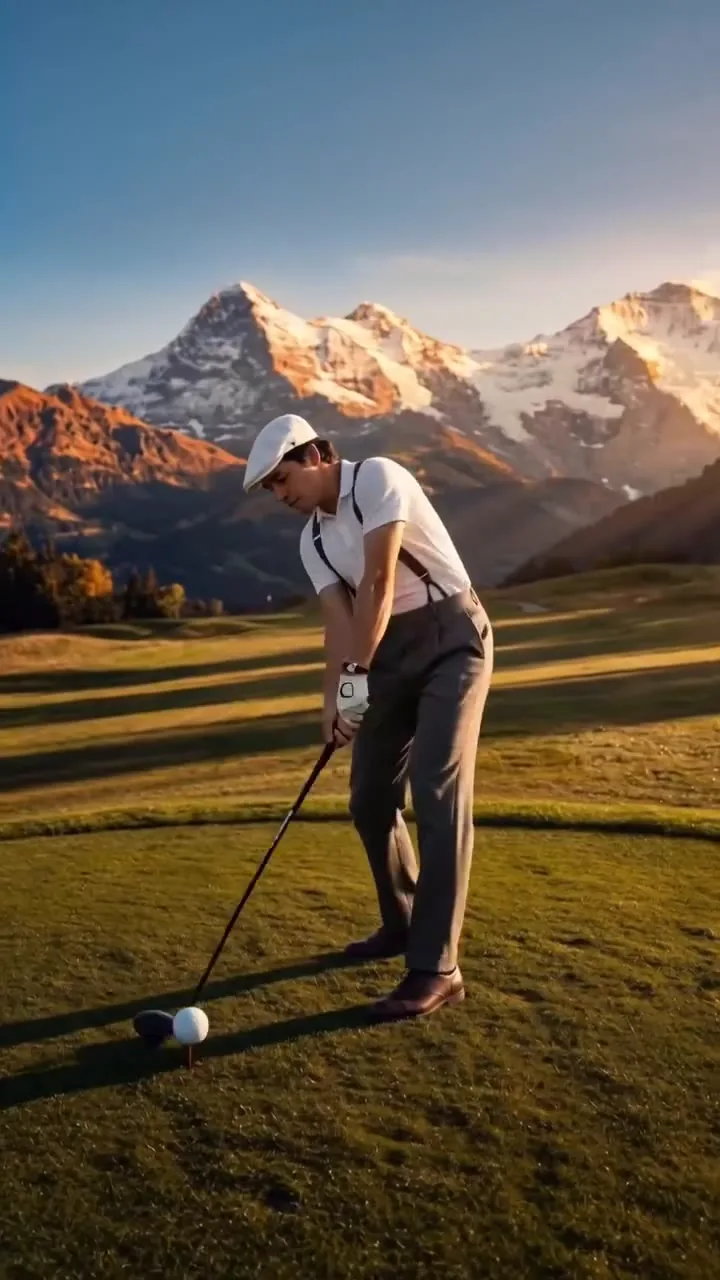
Higgsfield AI

Аватар, кинокадры и свет: пошаговый гид.

ДоGolden hour

Как сделать видео в Higgsfield

  1. Сделайте аватар

    Загрузите в Character 20+ фото лица.

  2. Напишите промпт

    Kling 3.0 Multi-Shot: свой промпт для каждого кадра.

  3. Получите видео

    5 кинокадров из одной картинки.
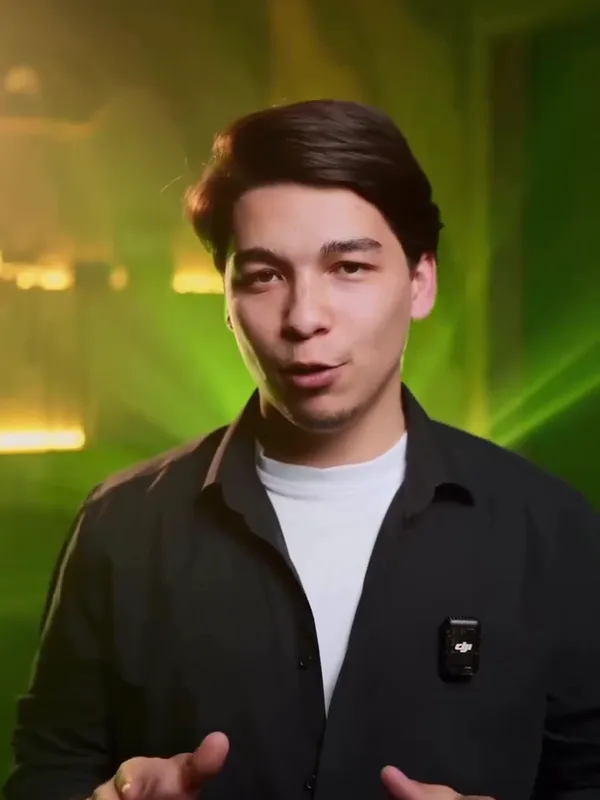
Что есть в Higgsfield
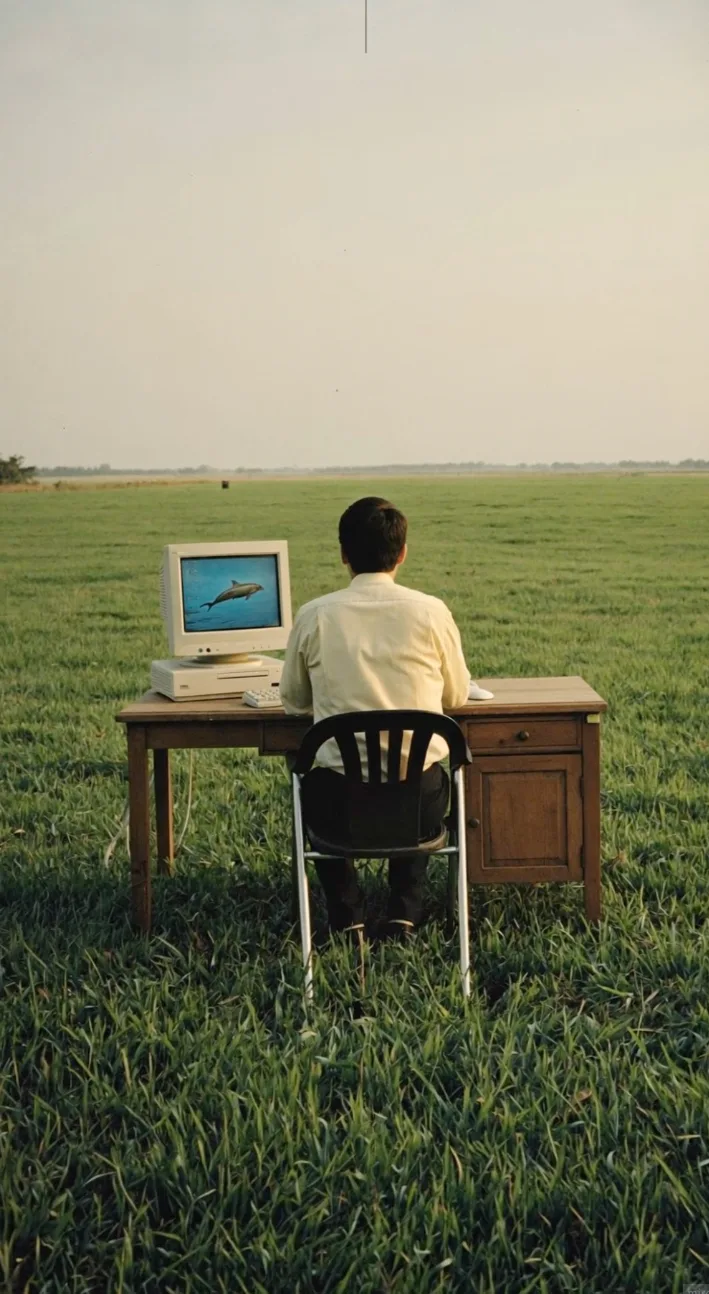
Промпты для Higgsfield

REFERENCE Use the first image as the start frame. Keep environment: desk, chair, CRT computer exactly the same. CHARACTER @character (face, hair, hands) CAMERA starts wide. Slowly moves forward (dolly in). Character sits calmly. DETAILS Grass slightly moving in the wind. Calm atmosphere. CAMERA Smooth forward movement. Fully stabilized. No shake.

▶ Видео

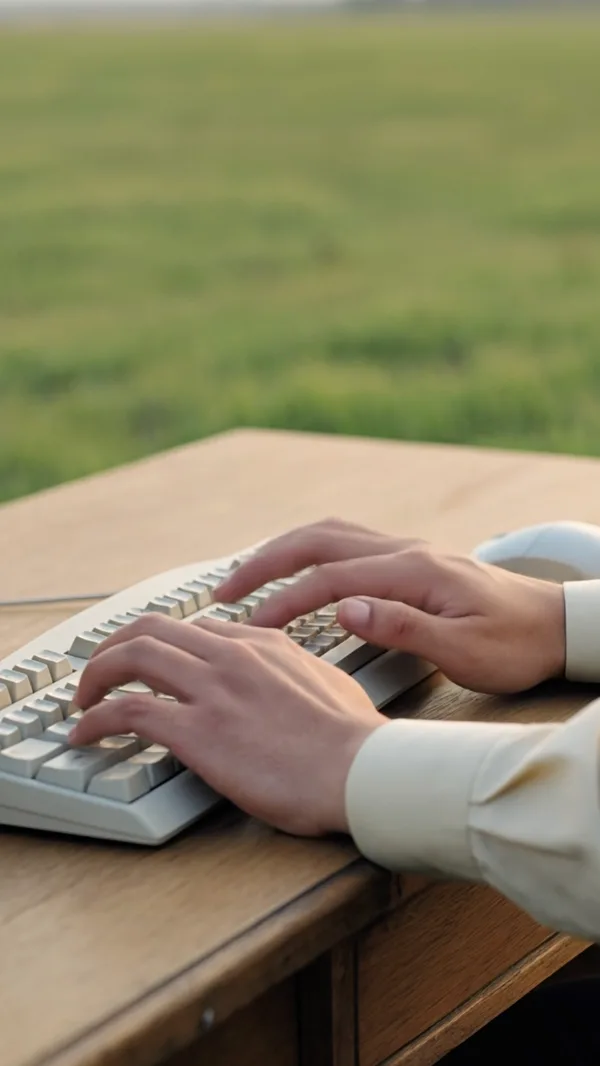
REFERENCE Same environment continues. CHARACTER @character ACTION Side angle shot. Character working on computer. Minimal movement. CAMERA Static. EMOTION Focused. Calm.

▶ Видео

REFERENCE Keyboard must match first image computer style. CHARACTER @character (hands) ACTION Hands typing on keyboard. Natural finger movement. CAMERA Static. Close-up.

▶ Видео

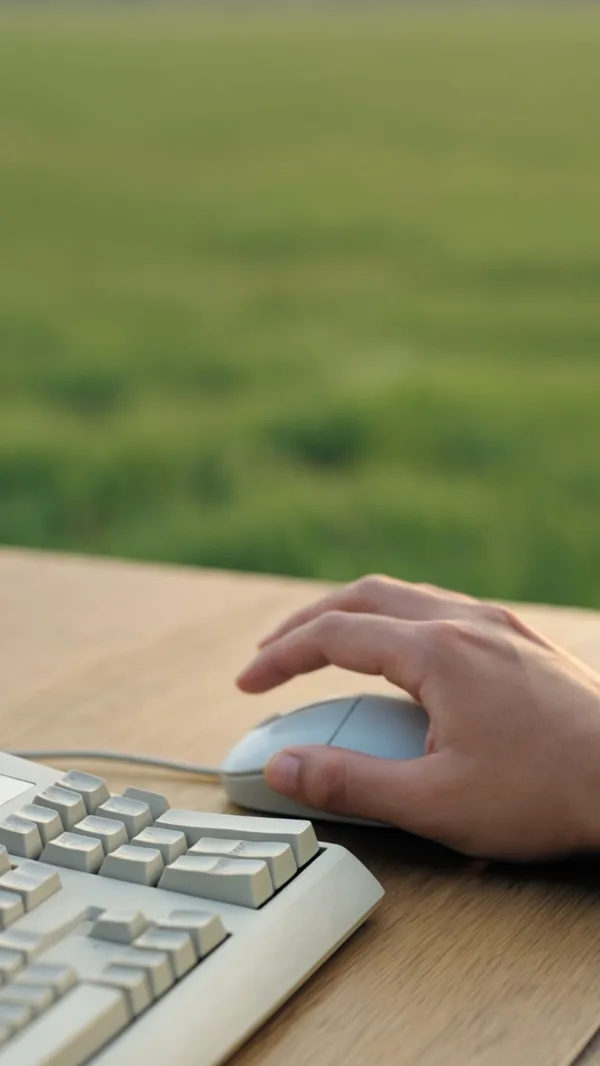
REFERENCE Mouse must match first image setup. CHARACTER @character (hand) ACTION Hand moves mouse slightly to the left. Then performs a click. CAMERA Static. Close-up.

▶ Видео

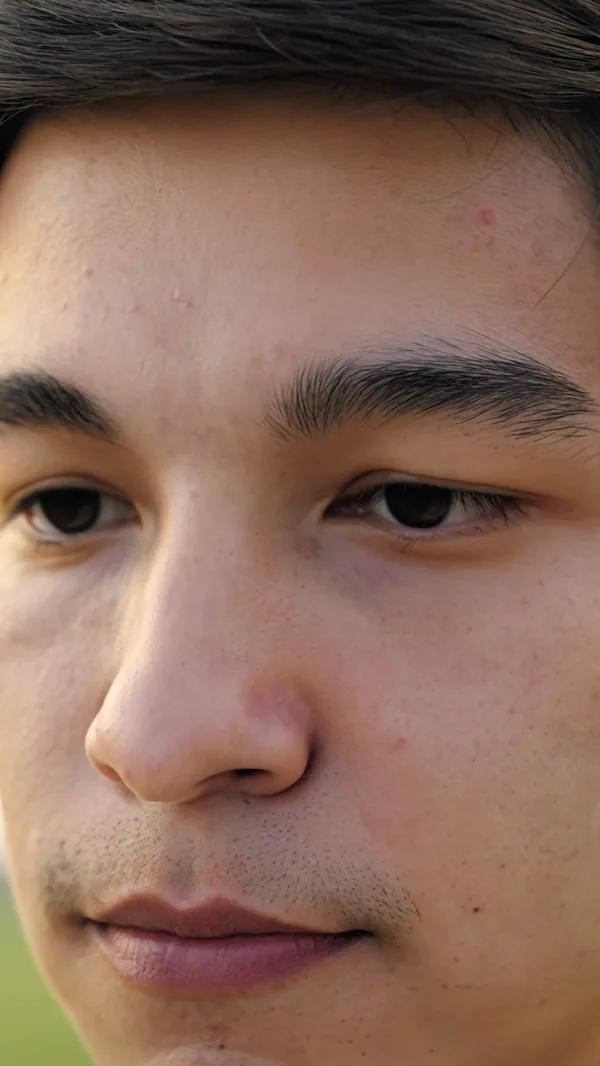
CHARACTER @character ACTION Extreme close-up of eyes. Character looking forward. EMOTION Serious. Focused. Analytical. CAMERA Static. Shallow depth of field.

▶ Видео

no camera shake no glitches no modern computer no environment change no lighting change no extra objects no face distortion no identity change

▶ Видео

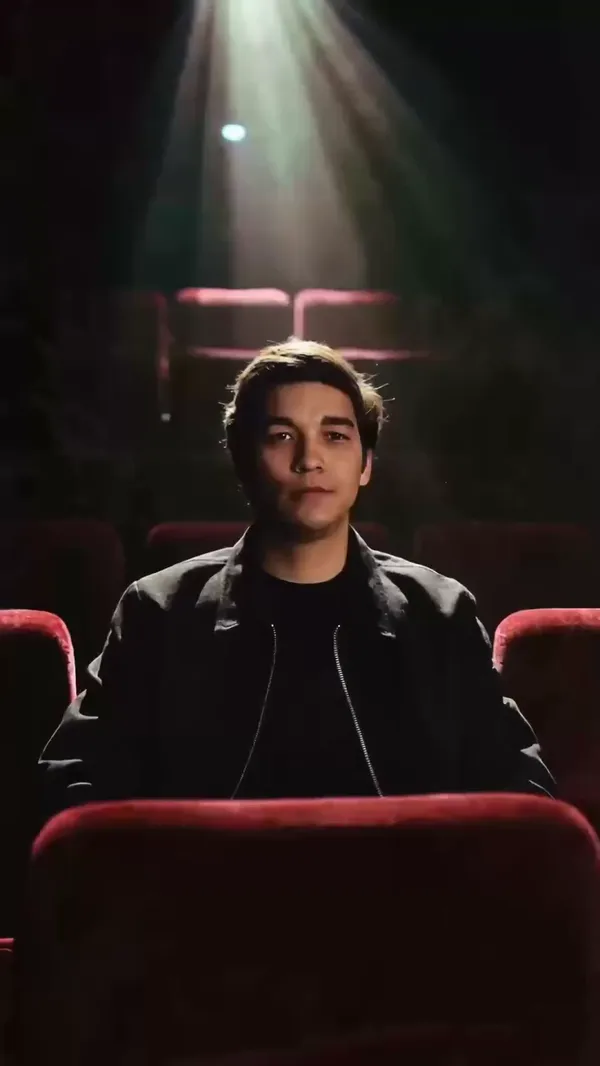
change the environment in @video_1 to match the lighting in @image_1

▶ Видео

UNIVERSAL OBJECT REPLACEMENT PROMPT TASK Replace the [OBJECT TO REMOVE] with a [NEW OBJECT DESCRIPTION] and remove all text. RULES Keep composition exact: camera angle, framing, depth of field — unchanged. Replace ONLY the specified object. New object must match the same position, scale, and orientation as the original. All surrounding elements remain untouched. NEW OBJECT REQUIREMENTS [Describe the replacement object in detail here — species, color, pose, angle, visible features, etc.] BACKGROUND QUALITY Ultra high quality environment. Highly detailed surroundings — textures, materials, surfaces rendered at maximum fidelity. Sharp textures in focus areas. Natural depth of field matching the original image — foreground blur, mid sharp, background soft. Cinematic lighting, HDR look. REALISM Match lighting direction, color temperature, and intensity perfectly to the original scene. Correct shadows and reflections consistent with the new object's shape and position. Subtle motion blur where physically appropriate. Physically accurate integration — the new object must look like it was photographed in the scene, not composited. CLEANUP Remove all text, watermarks, logos, and overlays. No artifacts. Clean cinematic image. NEGATIVE No low quality. No blur everywhere. No cartoon or illustrated style. No fake or procedural textures. No text. No watermark. No composition change. No lighting change. No background alteration.

▶ Видео

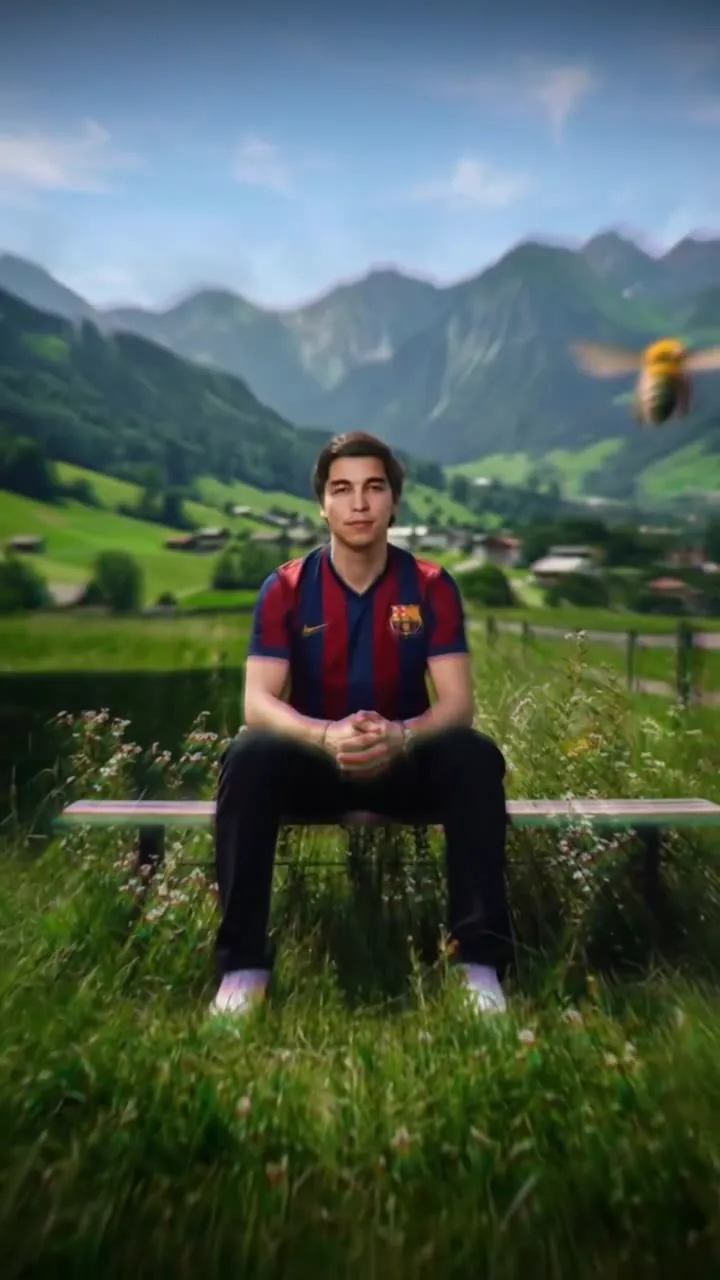
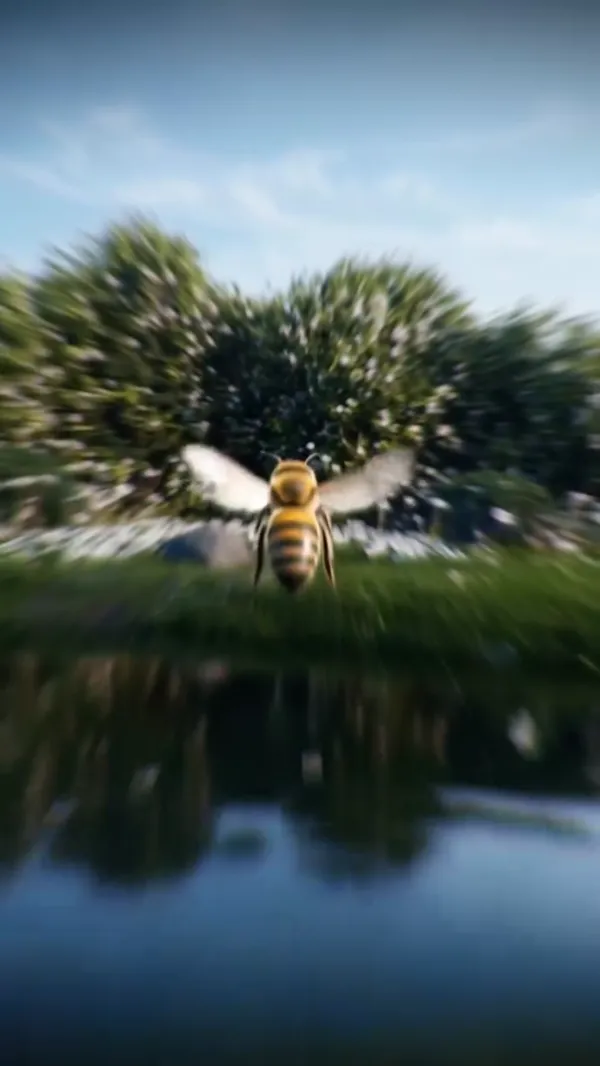
KLING 3.0 START FRAME END FRAME. POV shot. Camera rigidly locked on the seated man, perfectly centered, no camera movement. The man stays 100% sharp when in focus. START A realistic honey bee (back view) is hovering low above the water in front of the scene. Focus is on the bee (sharp), background and man slightly blurred. PRE-FLIGHT Subtle vibration only on the bee. Environment natural and still. Focus remains locked on the bee. TAKEOFF The bee accelerates forward toward the man. Focus continues tracking the bee (bee sharp, environment blurred). FLIGHT The bee flies fast through grass and flowers. When reaching dense bushes, the vegetation DOES NOT open or separate automatically. The bee navigates ONLY through existing natural gaps between leaves and branches. Leaves and flowers react strictly from real physical interaction and airflow only: slight bending on contact soft elastic deformation micro delay (natural inertia) before movement subtle secondary motion after contact gentle return to original position with natural damping no path clearing no automatic opening Add micro physics realism: small leaf lag and follow-through motion tiny vibration after contact subtle variation in movement (not uniform) realistic weight and stiffness differences between leaves Strong foreground–midground–background parallax. Only environment motion blur, the bee stays perfectly sharp. FOCUS SHIFT (IMPORTANT) As the bee exits the bushes and flies to the right side of the frame, focus smoothly transitions from the bee to the man. FINAL The bee continues flying to the right side, becoming slightly out of focus. The man becomes fully sharp and in focus, centered and still. STYLE Ultra-realistic Single continuous shot Natural cinematic focus pull NEGATIVE No camera movement No plant auto-opening No subject blur when in focus No unrealistic focus jump No transformation

▶ Видео

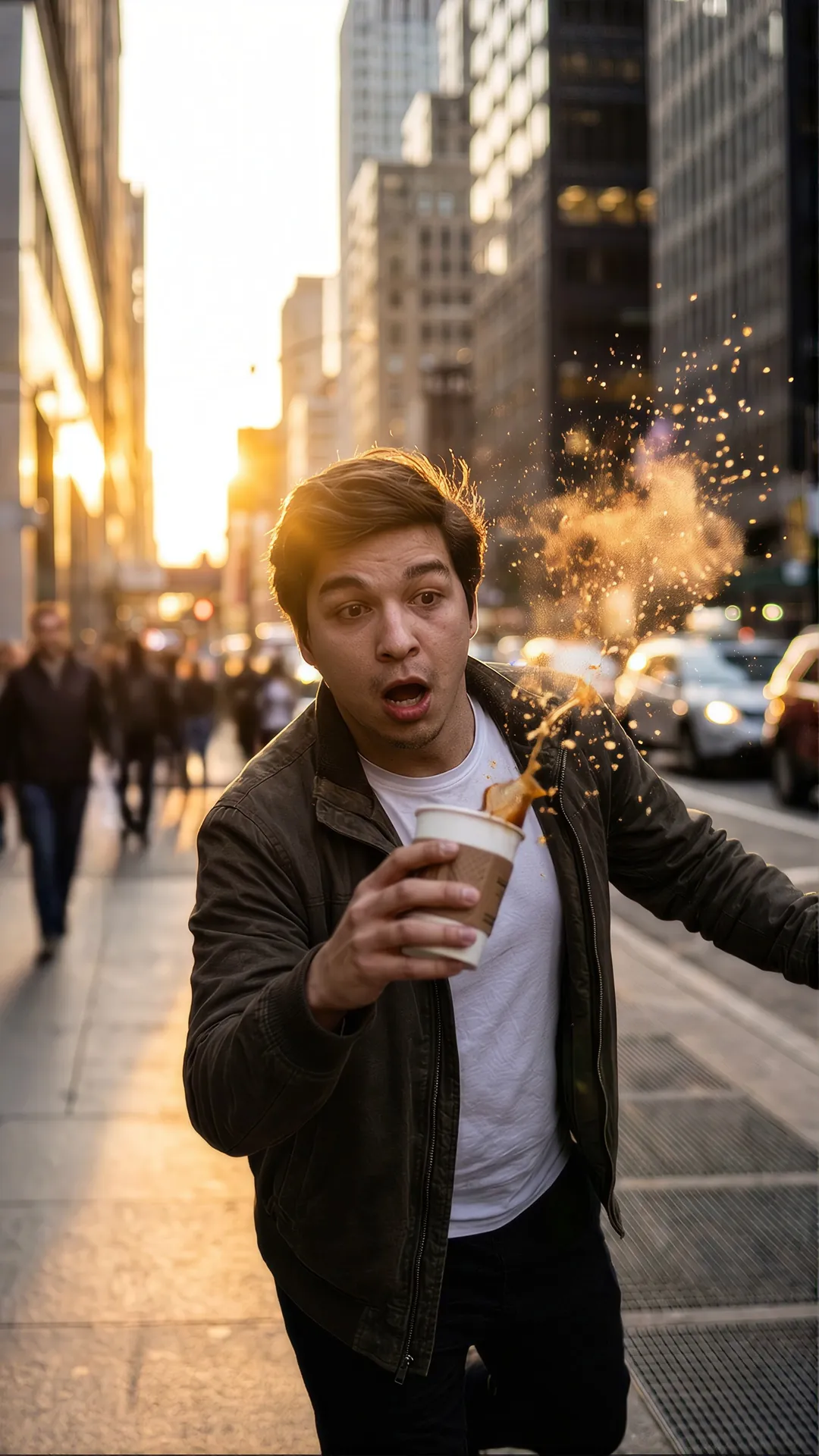
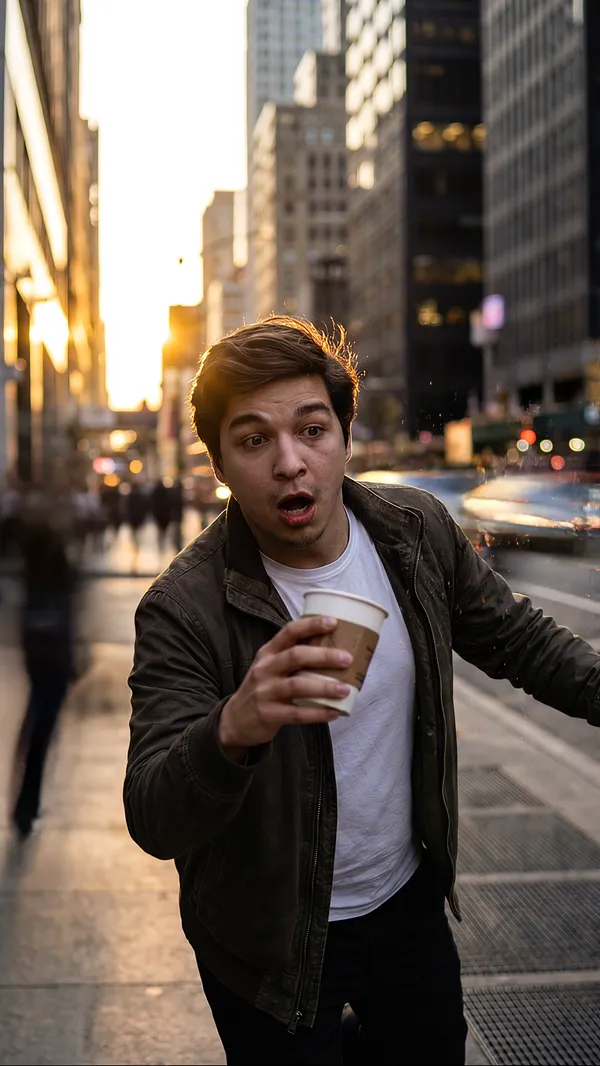
Фотореалистичный кинематографичный уличный кадр с использованием моего лица и моих черт внешности. Мужчина идёт по оживлённому тротуару большого города и в моменте слегка спотыкается, пытаясь поймать бумажный стаканчик с кофе. Горячий кофе эффектно вылетает из стакана и зависает в воздухе, видны детальные брызги, эффект высокоскоростной съёмки. На лице яркая эмоция удивления и лёгкой паники. Тёплый контровой свет, золотой час, солнце позади персонажа, мягкое кинематографичное свечение и лёгкий lens flare. Городской фон с высокими зданиями, прохожими и движением, задний план слегка размыт (малая глубина резкости). Снято как на профессиональную полнокадровую камеру, объектив 50mm, f/1.8, резкий фокус на лице, реалистичная текстура кожи. Максимальный реализм, без мультяшности, без иллюстраций, без CGI, без искажения лица.

▶ Видео

Держите человека в центре кадра полностью неподвижным и застывшим, как статуя. Стакан с жидкостью полностью застывшие и неподвижны. Анимируйте только окружающий фон и людей с помощью быстрого движения и сильного размытия при движении, создавая динамичный эффект замедленной съемки вокруг неподвижного объекта. Камера должна оставаться идеально зафиксированной

▶ Видео

Бесплатные уроки по Higgsfield

Частые вопросы

Higgsfield (higgsfield.ai) — сайт, где ИИ делает картинки и видео. В нём есть своя модель Soul 2.0, разделы Relight и Mixed Media, а также Kling 3.0, Seedance 2.0, Veo 3.1 и Nano Banana Pro.

Higgsfield AI

Аватар, кинокадры и свет: пошаговый гид.

ДоGolden hour

Как сделать видео в Higgsfield

  1. Сделайте аватар

    Загрузите в Character 20+ фото лица.

  2. Напишите промпт

    Kling 3.0 Multi-Shot: свой промпт для каждого кадра.

  3. Получите видео

    5 кинокадров из одной картинки.

Что есть в Higgsfield
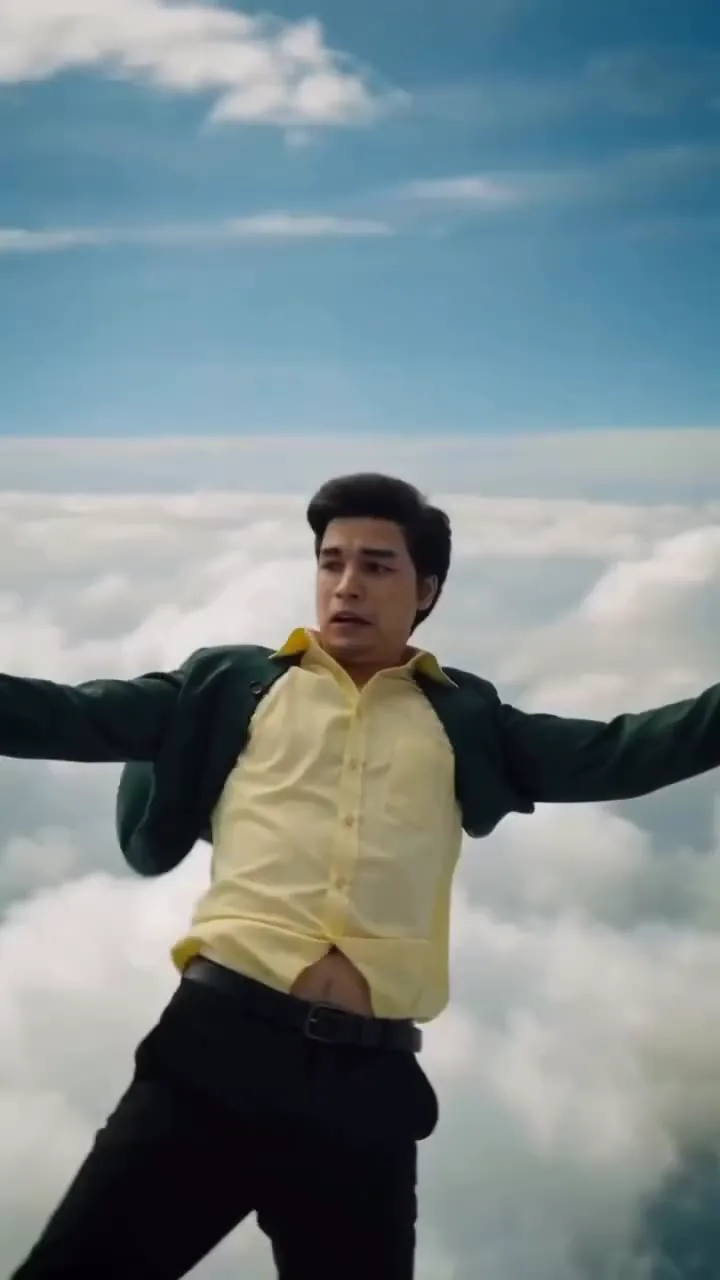
Промпты для Higgsfield
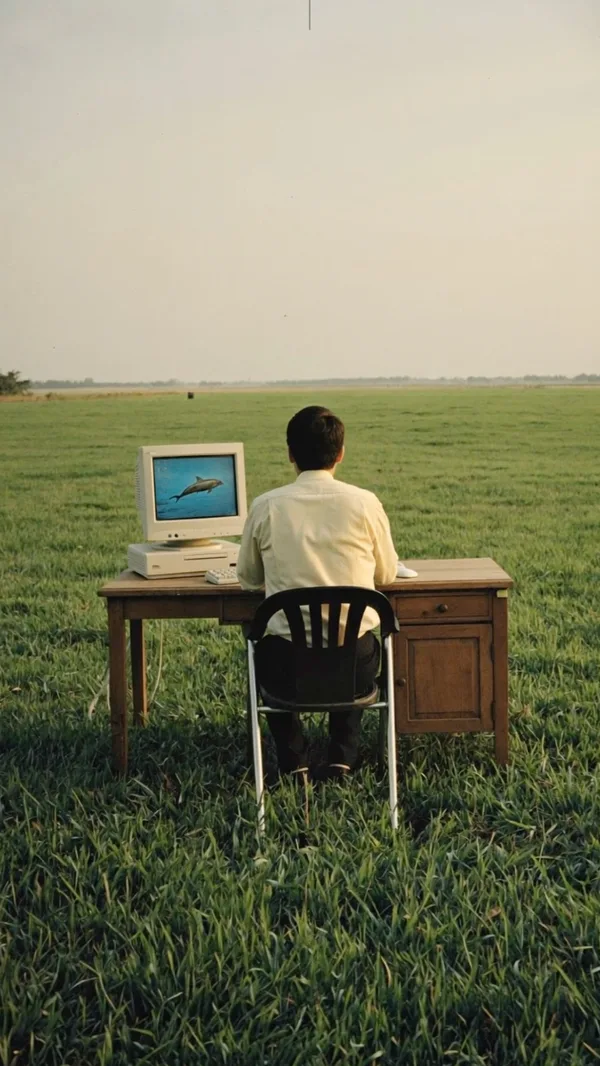
REFERENCE Use the first image as the start frame. Keep environment: desk, chair, CRT computer exactly the same. CHARACTER @character (face, hair, hands) CAMERA starts wide. Slowly moves forward (dolly in). Character sits calmly. DETAILS Grass slightly moving in the wind. Calm atmosphere. CAMERA Smooth forward movement. Fully stabilized. No shake.
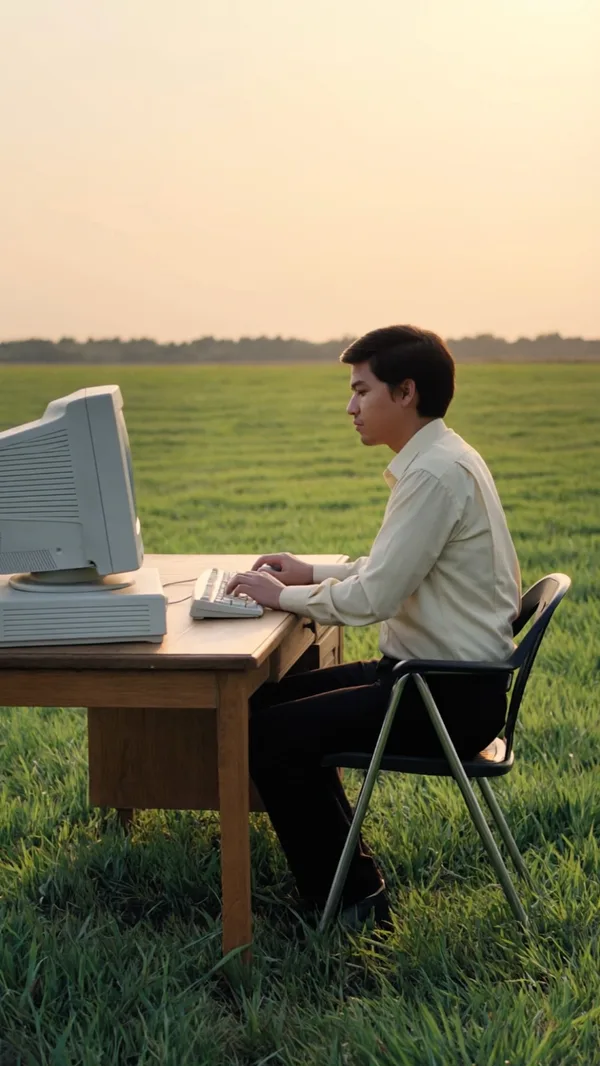
▶ Видео

REFERENCE Same environment continues. CHARACTER @character ACTION Side angle shot. Character working on computer. Minimal movement. CAMERA Static. EMOTION Focused. Calm.
▶ Видео

REFERENCE Keyboard must match first image computer style. CHARACTER @character (hands) ACTION Hands typing on keyboard. Natural finger movement. CAMERA Static. Close-up.
▶ Видео

REFERENCE Mouse must match first image setup. CHARACTER @character (hand) ACTION Hand moves mouse slightly to the left. Then performs a click. CAMERA Static. Close-up.
▶ Видео

CHARACTER @character ACTION Extreme close-up of eyes. Character looking forward. EMOTION Serious. Focused. Analytical. CAMERA Static. Shallow depth of field.

▶ Видео

no camera shake no glitches no modern computer no environment change no lighting change no extra objects no face distortion no identity change

▶ Видео

change the environment in @video_1 to match the lighting in @image_1
▶ Видео

UNIVERSAL OBJECT REPLACEMENT PROMPT TASK Replace the [OBJECT TO REMOVE] with a [NEW OBJECT DESCRIPTION] and remove all text. RULES Keep composition exact: camera angle, framing, depth of field — unchanged. Replace ONLY the specified object. New object must match the same position, scale, and orientation as the original. All surrounding elements remain untouched. NEW OBJECT REQUIREMENTS [Describe the replacement object in detail here — species, color, pose, angle, visible features, etc.] BACKGROUND QUALITY Ultra high quality environment. Highly detailed surroundings — textures, materials, surfaces rendered at maximum fidelity. Sharp textures in focus areas. Natural depth of field matching the original image — foreground blur, mid sharp, background soft. Cinematic lighting, HDR look. REALISM Match lighting direction, color temperature, and intensity perfectly to the original scene. Correct shadows and reflections consistent with the new object's shape and position. Subtle motion blur where physically appropriate. Physically accurate integration — the new object must look like it was photographed in the scene, not composited. CLEANUP Remove all text, watermarks, logos, and overlays. No artifacts. Clean cinematic image. NEGATIVE No low quality. No blur everywhere. No cartoon or illustrated style. No fake or procedural textures. No text. No watermark. No composition change. No lighting change. No background alteration.
▶ Видео

KLING 3.0 START FRAME END FRAME. POV shot. Camera rigidly locked on the seated man, perfectly centered, no camera movement. The man stays 100% sharp when in focus. START A realistic honey bee (back view) is hovering low above the water in front of the scene. Focus is on the bee (sharp), background and man slightly blurred. PRE-FLIGHT Subtle vibration only on the bee. Environment natural and still. Focus remains locked on the bee. TAKEOFF The bee accelerates forward toward the man. Focus continues tracking the bee (bee sharp, environment blurred). FLIGHT The bee flies fast through grass and flowers. When reaching dense bushes, the vegetation DOES NOT open or separate automatically. The bee navigates ONLY through existing natural gaps between leaves and branches. Leaves and flowers react strictly from real physical interaction and airflow only: slight bending on contact soft elastic deformation micro delay (natural inertia) before movement subtle secondary motion after contact gentle return to original position with natural damping no path clearing no automatic opening Add micro physics realism: small leaf lag and follow-through motion tiny vibration after contact subtle variation in movement (not uniform) realistic weight and stiffness differences between leaves Strong foreground–midground–background parallax. Only environment motion blur, the bee stays perfectly sharp. FOCUS SHIFT (IMPORTANT) As the bee exits the bushes and flies to the right side of the frame, focus smoothly transitions from the bee to the man. FINAL The bee continues flying to the right side, becoming slightly out of focus. The man becomes fully sharp and in focus, centered and still. STYLE Ultra-realistic Single continuous shot Natural cinematic focus pull NEGATIVE No camera movement No plant auto-opening No subject blur when in focus No unrealistic focus jump No transformation

▶ Видео

Фотореалистичный кинематографичный уличный кадр с использованием моего лица и моих черт внешности. Мужчина идёт по оживлённому тротуару большого города и в моменте слегка спотыкается, пытаясь поймать бумажный стаканчик с кофе. Горячий кофе эффектно вылетает из стакана и зависает в воздухе, видны детальные брызги, эффект высокоскоростной съёмки. На лице яркая эмоция удивления и лёгкой паники. Тёплый контровой свет, золотой час, солнце позади персонажа, мягкое кинематографичное свечение и лёгкий lens flare. Городской фон с высокими зданиями, прохожими и движением, задний план слегка размыт (малая глубина резкости). Снято как на профессиональную полнокадровую камеру, объектив 50mm, f/1.8, резкий фокус на лице, реалистичная текстура кожи. Максимальный реализм, без мультяшности, без иллюстраций, без CGI, без искажения лица.
▶ Видео

Держите человека в центре кадра полностью неподвижным и застывшим, как статуя. Стакан с жидкостью полностью застывшие и неподвижны. Анимируйте только окружающий фон и людей с помощью быстрого движения и сильного размытия при движении, создавая динамичный эффект замедленной съемки вокруг неподвижного объекта. Камера должна оставаться идеально зафиксированной

▶ Видео

Бесплатные уроки по Higgsfield

Частые вопросы

Higgsfield (higgsfield.ai) — сайт, где ИИ делает картинки и видео. В нём есть своя модель Soul 2.0, разделы Relight и Mixed Media, а также Kling 3.0, Seedance 2.0, Veo 3.1 и Nano Banana Pro.